Data Editor
Data Editor
A spreadsheet-style view of any table. Edit cells, insert rows and delete records without writing a line of SQL.
What it is
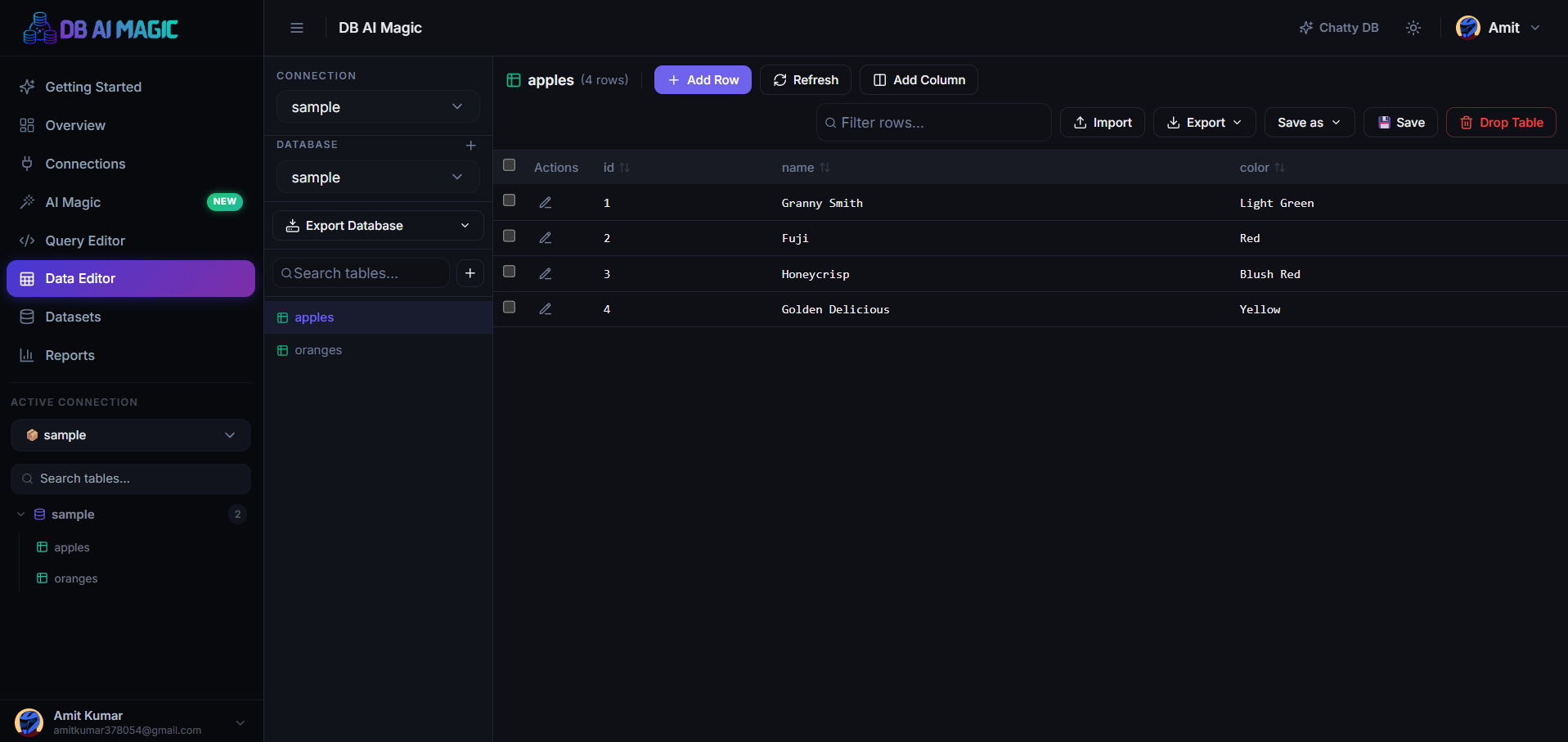
The Data Editor turns any table into a familiar grid. Each row is a record, each cell is editable, and every change is written back to your database atomically.
When to use it
- Fix a typo in a customer record
- Insert a handful of test records during development
- Review and clean imported data row by row
- Bulk-update a column using copy/paste
Not a migration tool
The Data Editor is for ad-hoc edits — not large migrations. For bulk updates, use the Query Editor with an explicit
UPDATE … WHEREstatement; you'll see exactly what was touched.Anatomy of the page
- Sidebar — your databases and tables. Click a table to load it in the grid.
- Grid — the rows in the selected table. Sort, filter, paginate, edit, insert and delete.
- Toolbar — refresh, add row, save pending changes, import/export buttons, and the column visibility menu.
Rules & safety
- Edits are staged locally until you click Save — you can revert at any time before that.
- Primary key columns are read-only by default. Edit a value and the editor builds the appropriate
UPDATE … WHERE pk = ?statement under the hood. - Foreign-key columns autocomplete from the referenced table so you don't have to remember IDs.
Where to go next
- Databases & Tables — create new databases and tables before adding data.
- Editing Rows — inline edits, bulk paste and undo.
- Import & Export — CSV / Excel in, CSV / Excel / PDF out.