Chatty DB
Getting Started with AI Chat
Open a chat, pick a connection, ask your first question.
Your first chat
Open AI Chat
Click AI Chat in the sidebar. The chat surface fills the page.Pick a connection
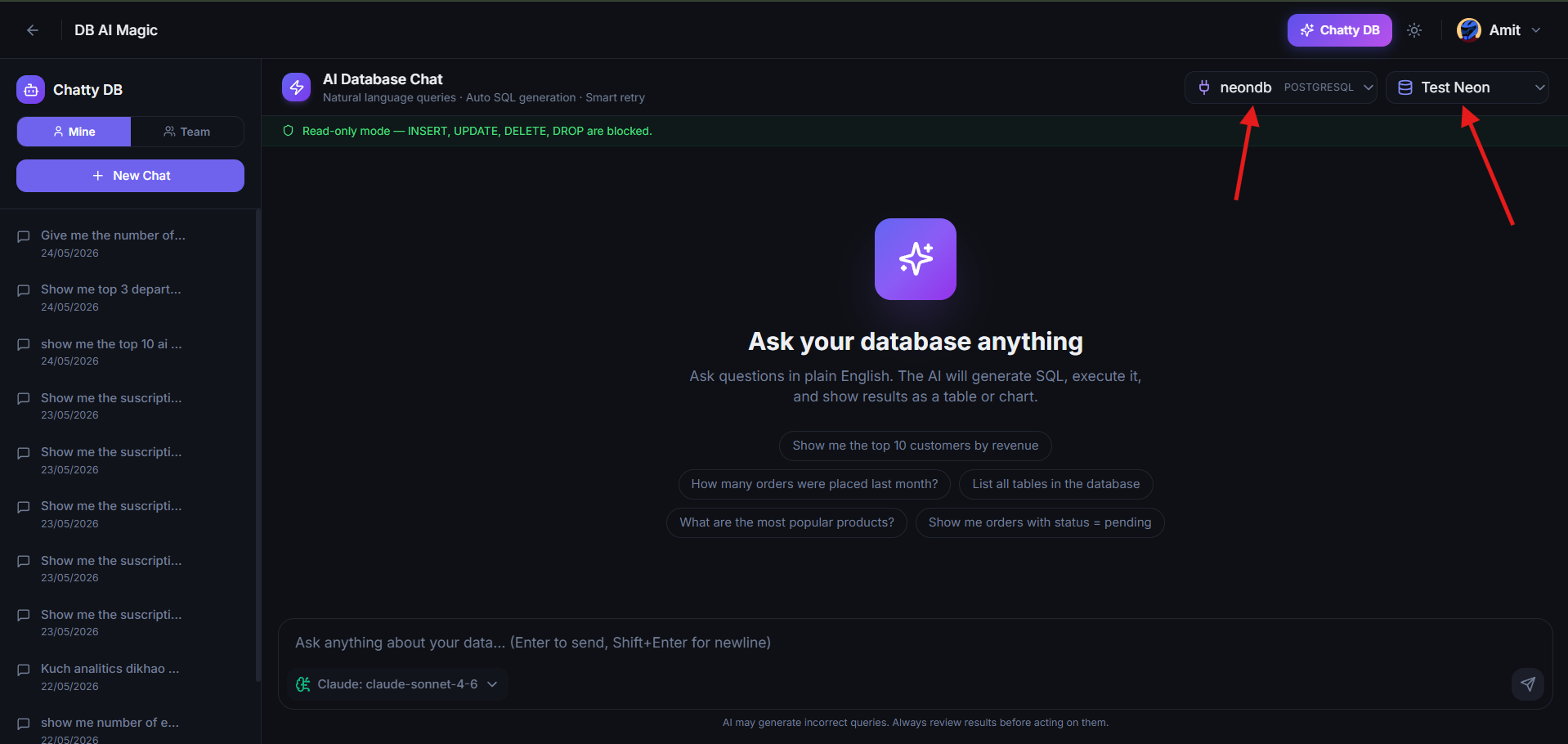
From the dropdown above the input, choose the connection you want to query. (Once you send the first message, this is locked in for the rest of the conversation.)Ask your question
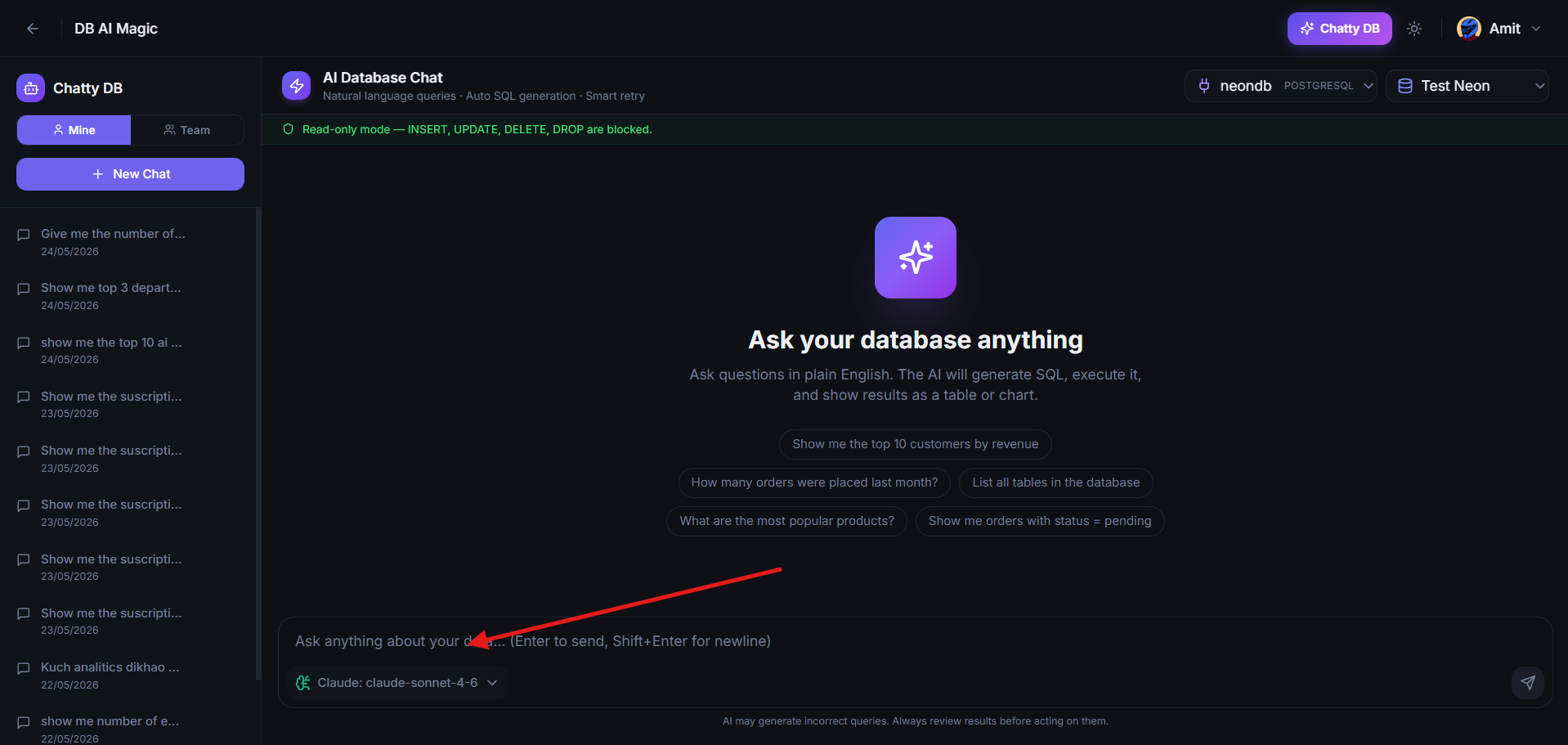
Type a question and press Enter. The assistant drafts SQL, runs it, and shows the answer.Follow up
Continue the conversation naturally. Each follow-up has access to the messages before it.
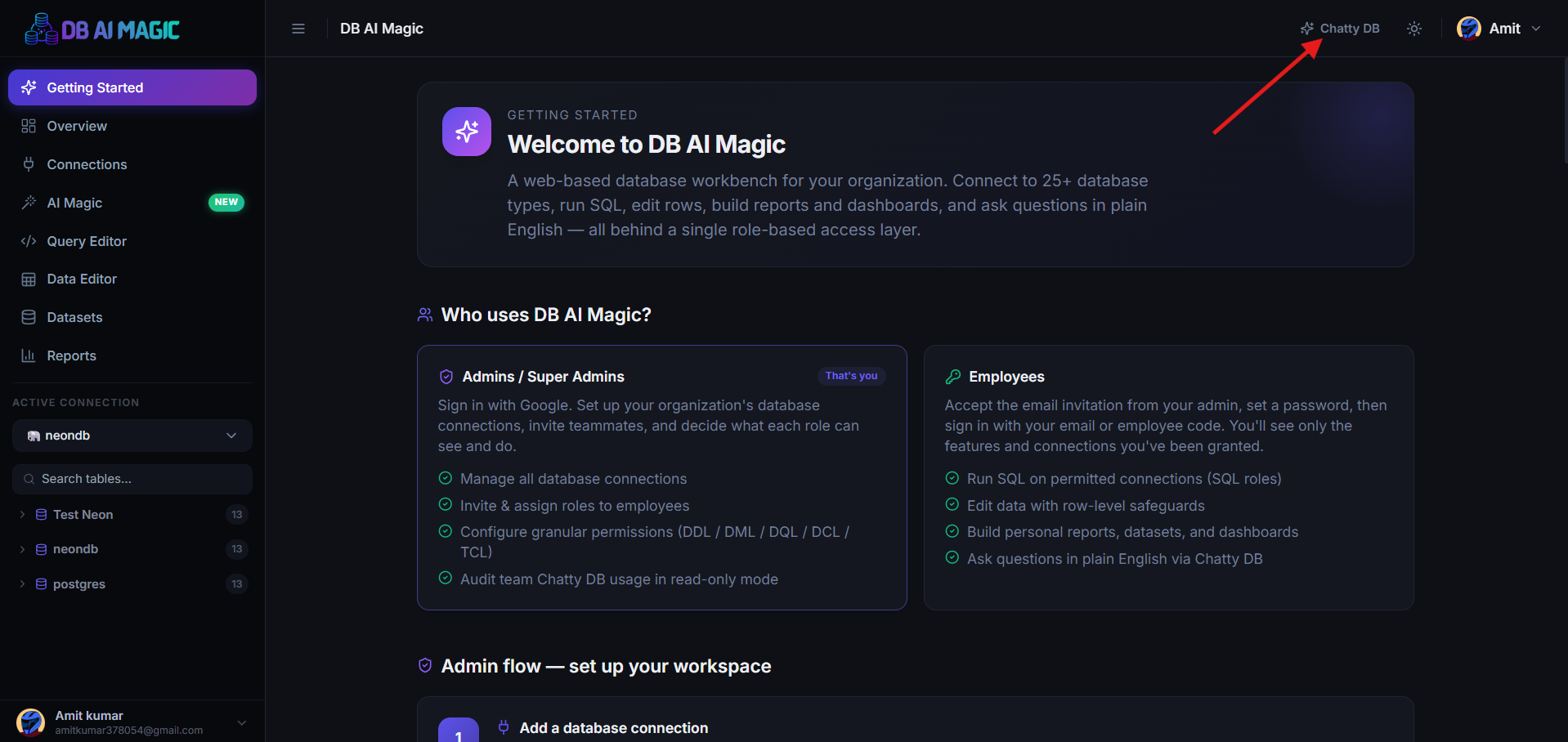
Picking a connection
AI Chat scopes each conversation to exactly one connection so the schema context stays consistent. To query a different database, start a new chat — the old conversation stays in your history.
Asking good questions
The model thinks in natural language and SQL, so a clear sentence translates well. Some patterns that work:
- Top 10 customers by revenue this month, with their cities.
- How many orders were created each day for the last 30 days?
- Which products have the highest return rate?
- Find users who signed up in March but never logged in again.
Tell it what shape you want
Reading the results
Each assistant message has three parts:
- The answer — a one-paragraph summary of what the data shows.
- The result — a table or chart you can sort, export, or copy.
- The SQL — the exact query that produced the result, with a copy button.
When SQL fails
If the first SQL is wrong, the assistant reads the error and tries again — up to several attempts. You see only the successful query and its result. If every attempt fails, the assistant tells you why so you can rephrase.
Chat history
The chat sidebar shows every conversation you've had. Rename chats for easy finding, delete the ones you don't need, and re-open any chat to continue it later — the connection and context are restored.
Team chats
Admins can opt in to viewing read-only copies of their team's AI conversations. Useful for understanding how the team uses the data and for spotting expensive query patterns early.
Visibility is configurable