Connections
Connections
A connection is a saved, encrypted link between DB AI Magic and one of your databases. Everything else — queries, reports, AI conversations — flows from here.
What is a connection?
A connection bundles together everything DB AI Magic needs to talk to one of your databases: the engine type, the host or file, credentials, and any optional settings (SSL, schema, default database).
Once saved, the connection is reusable — pick it from any sidebar dropdown to instantly switch the editor, data editor, schema viewer and AI Chat to that database.
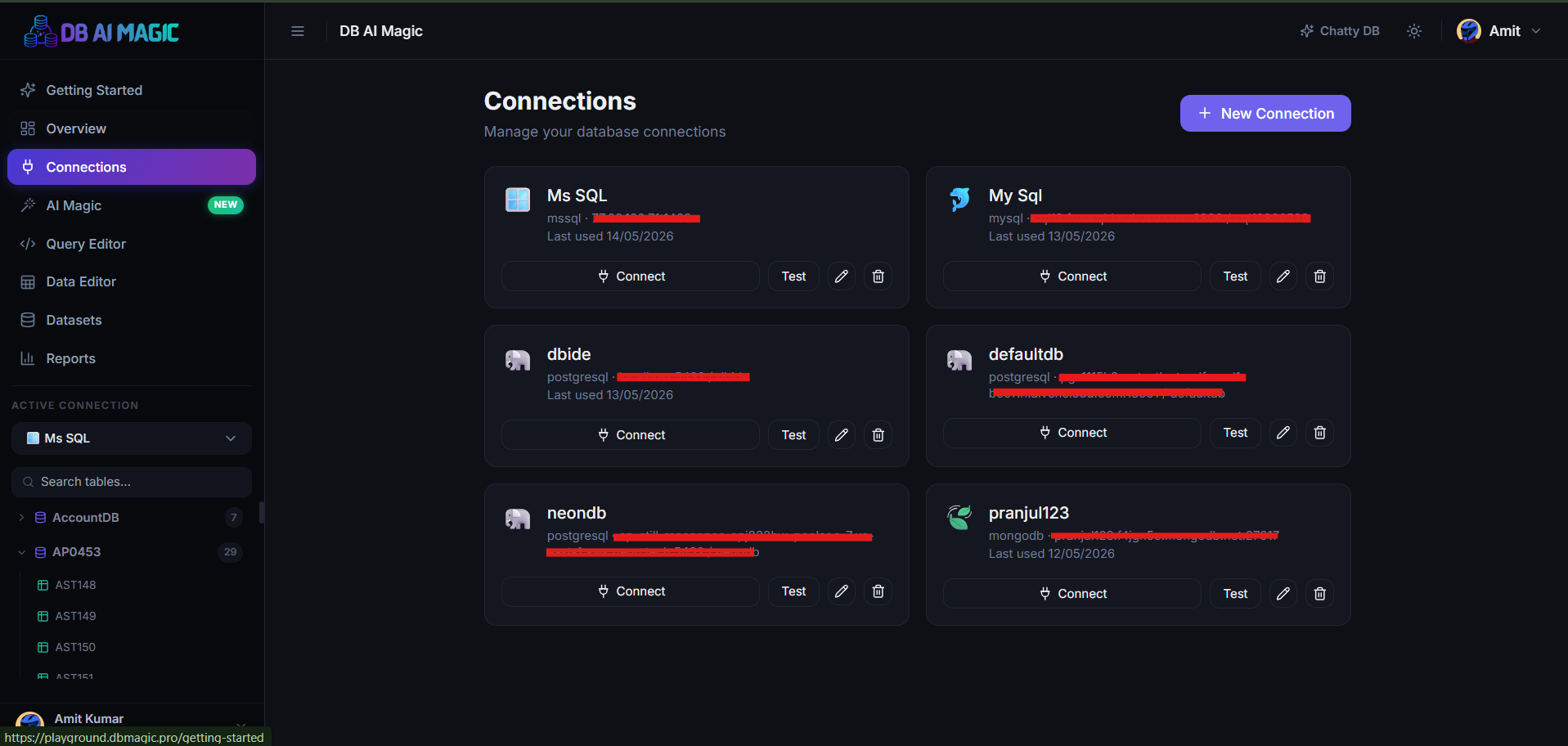
Where they live
All connections sit under the Connections page in the sidebar. From there you can:
- Create a new connection of any supported engine
- Test, edit or delete an existing one
- See connection health at a glance
- Set which connection is “active” for the current session
Credentials & security
Every secret you save — passwords, connection strings, certificates — is encrypted before it touches storage. We never log credentials and they're only decrypted in memory for the duration of a single query.
Best practice
SSL / TLS
Most engines support secure connections out of the box. Where the engine requires it (Azure SQL, hosted Redshift, MongoDB Atlas), TLS is enabled by default. You can also paste a custom CA certificate for self-signed setups.
The active connection
The sidebar always shows your active connection. When you open the Query Editor, the Data Editor, or AI Chat, those pages start with the active connection selected — saving you the click every time.
Sharing with teammates
Connections belong to your organisation, not your personal account. Admins can decide on a per-connection basis which employees see which databases. An employee invited with access to only the reporting connection, for example, will never see the production one in their sidebar.
Continue to Creating a connection to add your first database.